Laravel Cloud vs. Railway
On Railway, you manually build your app's stack piece by piece. Laravel Cloud handles it for you. Deploy Laravel, Next.js, Rust, Rails, Django, Go, and more, with queues, autoscaling, and managed databases included, on infrastructure designed for ambitious builders.
Laravel Cloud
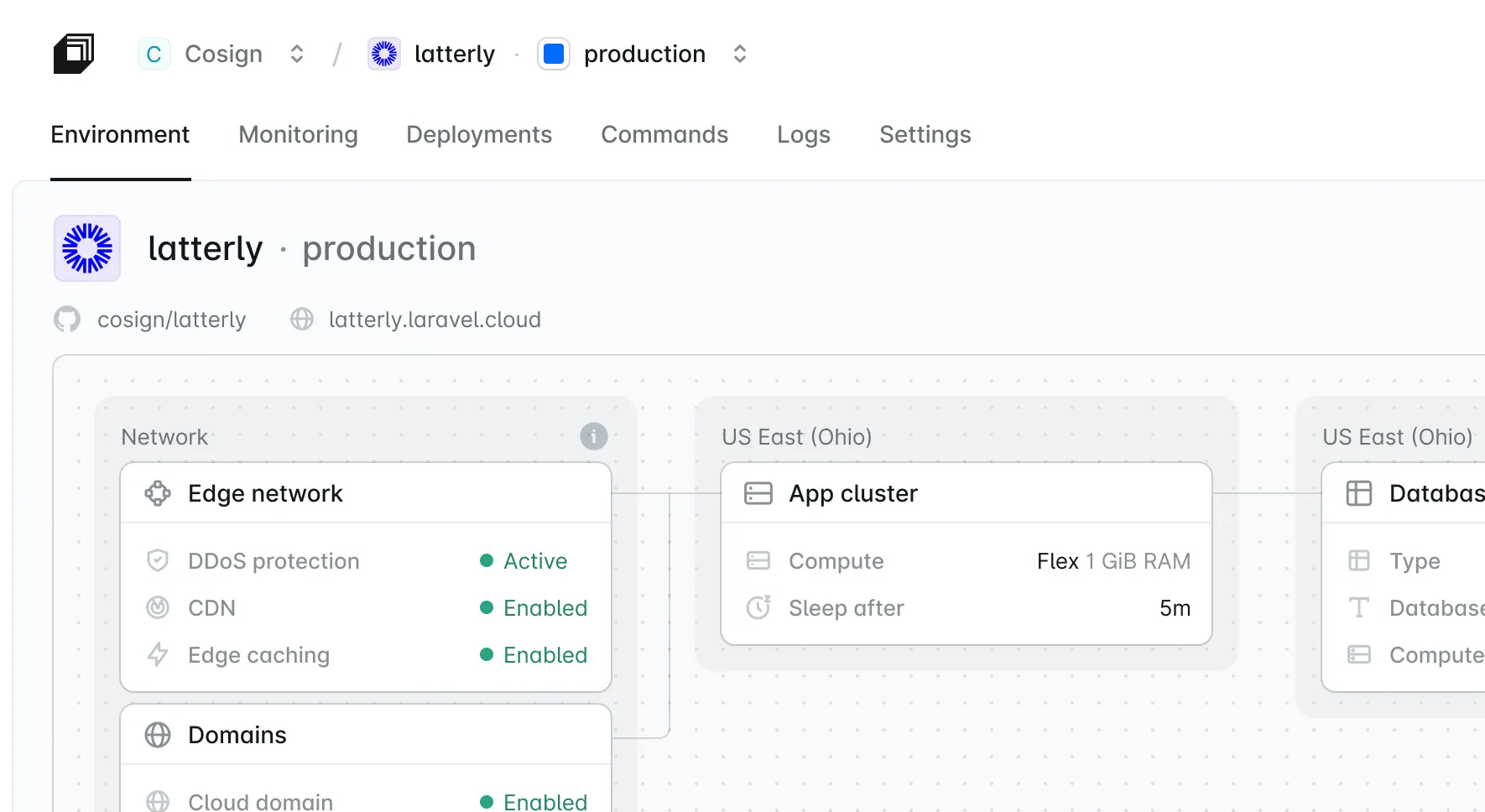
Laravel Cloud is a fully managed platform built by the Laravel team. Connect your repo and deploy in under a minute. Cloud makes it simple to deploy, run, and scale, whether you're testing a proof of concept or running a production app.
- Your application autoscales based on live traffic, CPU, and memory, with spending limits to keep costs in check. When idle, your full stack scales to zero and wakes together in under 500 ms.
- Background jobs run on managed queues that add workers when jobs pile up and scale to zero when they're done. You pay only while jobs run (on Flex compute), with no worker servers to manage.
- Scheduled tasks run without cron infrastructure: one toggle for Laravel and Symfony apps, or a worker cluster for any other runtime.
Railway
Railway is a general-purpose cloud platform that deploys apps in many languages from a Git repo, a Dockerfile, or a template. It's quick to start and great for prototypes. Support is limited on smaller plans: Free and Hobby get help through the community forum only.
- Railway deploys almost anything, including any Dockerfile or Docker image. For Laravel, its guide splits one app into four services (web, worker, cron, and database) that you configure and connect yourself.
- Each service scales up to your plan's limits on its own, and you choose how many replicas to run. Handling traffic spikes with more instances is up to you.
- Railway can run any service on a schedule, at most every 5 minutes. Laravel's scheduler expects every minute, so its guide runs it in a loop instead.
Teams like these don't manage infrastructure.




“Laravel Cloud provides the programmable, seamless infrastructure that mirrors our own ambition, allowing us to slash our spend by 50% and shift our focus from managing servers to building the future of insurance.”

Craig Morris
Technical Program Manager at Superscript
Why Laravel Cloud is better than Railway
Autoscale on real traffic. Cloud adds and removes replicas as requests rise and fall. On Railway, you set them by hand.
Your whole stack, managed. Databases, cache, storage, queues, email, and the scheduler are built in. Railway splits a Laravel app into four services.
Full-stack scale to zero. Compute, databases, and cache wake up together in under 500 ms. Railway's services sleep separately.
Laravel Cloud compared to Railway
Both platforms deploy from Git in minutes. The difference shows up in production, when your app needs queues, scheduled tasks, and scaling. Here's how Laravel Cloud vs. Railway compares for any app, and for Laravel hosting and deployment in particular.
A fully managed PaaS (platform as a service) built by the Laravel team. It runs PHP, JavaScript, Go, Python, Ruby, and Rust apps, with autoscaling, databases, cache, object storage, and security built in.
A general-purpose cloud deployment platform (PaaS) for many languages. You build your stack from separate services, and you configure and scale each resource yourself.
A fully managed PaaS (platform as a service) built by the Laravel team. It runs PHP, JavaScript, Go, Python, Ruby, and Rust apps, with autoscaling, databases, cache, object storage, and security built in.
PHP (Laravel, Symfony), JavaScript on Node.js, Bun, or Deno (Next.js, Nuxt, TanStack Start, Express, Hono), Go, Python (Django, FastAPI, Flask), Ruby (Rails), and Rust (axum, Actix Web, Rocket, warp). Quickstart and deploy guides available.
12 languages with official guides: JavaScript and TypeScript, Python, PHP, Ruby, Go, Rust, Java, Kotlin, C#, Scala, Elixir, and Clojure. Plus any Dockerfile or Docker image.
PHP (Laravel, Symfony), JavaScript on Node.js, Bun, or Deno (Next.js, Nuxt, TanStack Start, Express, Hono), Go, Python (Django, FastAPI, Flask), Ruby (Rails), and Rust (axum, Actix Web, Rocket, warp). Quickstart and deploy guides available.
AWS, in 9 regions across North America, Europe, and Asia Pacific
Railway's own hardware, in 4 regions: California, Virginia, Amsterdam, and Singapore
AWS, in 9 regions across North America, Europe, and Asia Pacific
Horizontal autoscaling based on live traffic, CPU, and memory, with zero downtime, on Growth tier and above
Scales each service up to your plan's CPU and memory limits. Replicas are set by hand.
Horizontal autoscaling based on live traffic, CPU, and memory, with zero downtime, on Growth tier and above

Your full stack (compute, databases, and cache) sleeps when idle and wakes together. New Flex sizes wake in under 500 ms, and scheduled tasks and queued jobs keep running while your app sleeps.

Optional sleep after 5 to 10 minutes with no outbound traffic.
Your full stack (compute, databases, and cache) sleeps when idle and wakes together. New Flex sizes wake in under 500 ms, and scheduled tasks and queued jobs keep running while your app sleeps.
Under 60 seconds from Git, with zero-downtime rollouts. Push-to-deploy CI/CD from GitHub, GitLab, and Bitbucket, with preview environments. Read about Cloud's architecture.
Git deploys with optional pull request environments. Services with a volume have a short downtime on each redeploy.
Under 60 seconds from Git, with zero-downtime rollouts. Push-to-deploy CI/CD from GitHub, GitLab, and Bitbucket, with preview environments. Read about Cloud's architecture.
Managed MySQL, Serverless Postgres, and Valkey cache (Redis-compatible), run and backed up for you. On Private Cloud, you also get managed Amazon RDS (MySQL and Postgres) and ElastiCache (Valkey and Redis OSS), with multi-AZ deployments for high availability.
Database templates for Postgres, MySQL, Redis, and MongoDB, including high-availability versions. Railway handles provisioning and security patches. You turn on backups and high availability, run major version upgrades, and tune the database yourself.
Managed MySQL, Serverless Postgres, and Valkey cache (Redis-compatible), run and backed up for you. On Private Cloud, you also get managed Amazon RDS (MySQL and Postgres) and ElastiCache (Valkey and Redis OSS), with multi-AZ deployments for high availability.
Automatic daily backups, on by default for MySQL, plus point-in-time recovery for Serverless Postgres and on-demand backups anytime.
Scheduled volume backups (daily, weekly, or monthly) that you set up. Point-in-time recovery for Postgres and MySQL is something you turn on.
Automatic daily backups, on by default for MySQL, plus point-in-time recovery for Serverless Postgres and on-demand backups anytime.
Object storage included
Object storage available. Volumes are limited to one per service and can't be used with replicas.
Object storage included
Built-in Resend integration: connect once, verify domains in the dashboard, and Cloud fills in each environment's mail settings

No built-in email. SMTP is blocked on Free, Trial, and Hobby (Pro and above only). Railway recommends connecting an email API like Resend yourself.
Built-in Resend integration: connect once, verify domains in the dashboard, and Cloud fills in each environment's mail settings
Laravel Private Cloud gives you dedicated nodes with no shared tenancy
Dedicated VMs on Enterprise. Railway doesn't expose CPU steal metrics, so noisy-neighbor slowdowns are hard to spot.
Laravel Private Cloud gives you dedicated nodes with no shared tenancy
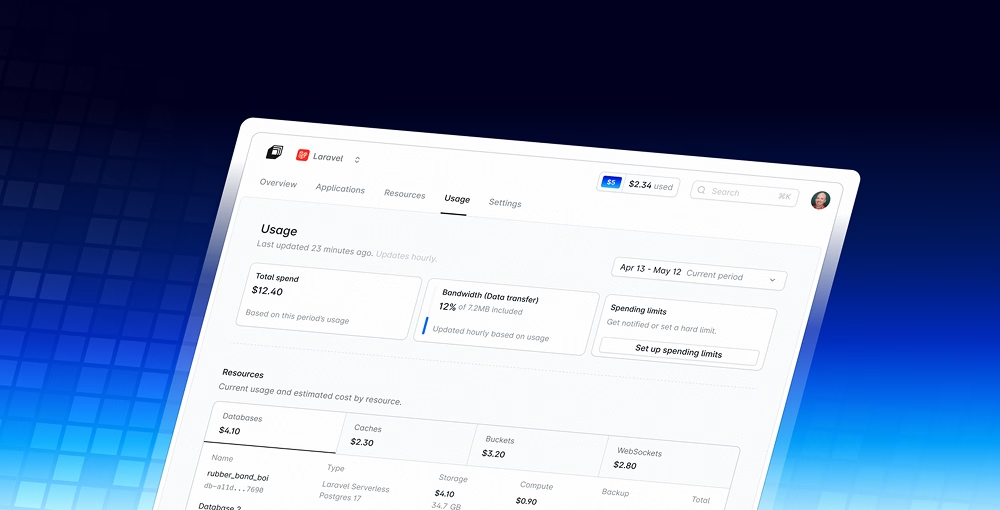
Laravel Cloud's Starter plan is $5/month and includes $5 in usage credit each month. Your first month is free. Flex compute and databases scale to zero when idle, so you don't pay for compute that isn't serving requests. Estimate your bill.
Railway's Free plan includes $1 of usage per month. Hobby is $5/month with $5 of usage included. Pro is $20/month with $20 of usage included. Usage beyond that is billed per second, at about $20 per vCPU and $10 per GB of memory each month.
Laravel Cloud's Starter plan is $5/month and includes $5 in usage credit each month. Your first month is free. Flex compute and databases scale to zero when idle, so you don't pay for compute that isn't serving requests. Estimate your bill.
Plan fee plus usage. Each compute size has a fixed monthly cap, so the most a running instance can cost is known up front.
Plan fee plus usage, billed per second on the CPU, memory, storage, and outbound data your services actually use
Plan fee plus usage. Each compute size has a fixed monthly cap, so the most a running instance can cost is known up front.
Spending limits and alerts at 50%, 80%, 90%, and 100%, plus an optional hard cap that pauses compute at the limit
Usage limits and email alerts. All workloads go offline when the hard limit is hit.
Spending limits and alerts at 50%, 80%, 90%, and 100%, plus an optional hard cap that pauses compute at the limit
First month free on Starter, with $5 in usage credit
$5 one-time credit, valid for 30 days
First month free on Starter, with $5 in usage credit
Real-time logs, infrastructure metrics, HTTP analytics, and app metrics, plus optional Laravel Nightwatch for Laravel apps
Logs, CPU, memory, disk, and network metrics, custom dashboards, and tracing. Alerts require the Pro plan.
Real-time logs, infrastructure metrics, HTTP analytics, and app metrics, plus optional Laravel Nightwatch for Laravel apps
Email and in-app chat support on every plan. Business and Enterprise can add Advanced support for priority help and an uptime SLA.
Community forum only on Free and Hobby. Pro gets direct help, usually within 72 hours, with no guaranteed response times. Guaranteed response times start with Business Class ($5,000+/month spend) or Enterprise.
Email and in-app chat support on every plan. Business and Enterprise can add Advanced support for priority help and an uptime SLA.
Built and maintained by the Laravel team
General-purpose platform with a Laravel guide and template
Built and maintained by the Laravel team
One app, with queues and the scheduler built in
Four services per Railway's Laravel guide: web, worker, cron, and database. The worker and cron services each run a start script, and a pre-deploy script runs migrations and Laravel's production optimization commands.
One app, with queues and the scheduler built in
Managed queues with autoscaling background workers, a jobs dashboard, and failed-job retries. Workers wake in under 1s. Learn how managed queues work.
A separate queue worker service running queue:work that you configure and scale
Managed queues with autoscaling background workers, a jobs dashboard, and failed-job retries. Workers wake in under 1s. Learn how managed queues work.
One toggle. Runs every minute.
A separate cron service with a loop script. Native cron jobs run at most every 5 minutes, in UTC, and timing can drift by a few minutes.
One toggle. Runs every minute.
Queue workers get up to 90 seconds (Flex) or one hour (Pro) to finish the current job
By default, old containers get 0 seconds to shut down, so running queue jobs get cut off
Queue workers get up to 90 seconds (Flex) or one hour (Pro) to finish the current job
One-click Laravel Nightwatch integration for slow queries, jobs, and exceptions
Railway points users to third-party tools for app-level insight
One-click Laravel Nightwatch integration for slow queries, jobs, and exceptions
Who should choose Laravel Cloud vs. Railway?

Pick Laravel Cloud
Choose Laravel Cloud if you want to set up a quick production application without lots of operational overhead. Your Next.js frontend, Rust or Go service, Python API, or Rails app can run on the same platform. Built for ambitious builders where uptime matters, Laravel Cloud handles autoscaling, databases, cache, scheduled tasks, and more.

Pick Railway
Choose Railway if you want to deploy straight from a Dockerfile, need a language Laravel Cloud doesn't support yet, or like piecing your stack together and have the time to keep it running. In production, the worker, cron, and scaling pieces are yours to build and maintain, from sizing each worker service yourself to adding instances by hand when traffic grows.
Deploy now with Cloud
Start in Cloud with $5 in free usage credit.
- Launch in under a minute from Git to live with fully managed infrastructure.
- Build and ship faster with native Laravel integration across your stack.
- Scale and save costs automatically with built-in scale to zero.
See what thousands of developers have to say
“I have never seen a website accomplishing something so complicated, so fast, so simple, so beautifully.”

“Cloud is amazing value if you just need a small server and a PostgreSQL DB. I only use $2 a month running my badge project. We've never had it this good.”

“For my small project I needed all: DB, cache, storage, and WebSockets — and everything worked on the first try with single clicks.”

“Setting up resources on Laravel Cloud is like playing Lego blocks, you can just connect things. We used to install Nginx and MySQL manually on a server and get permission denied.”

“Cloud is absolutely goated. Smoothest infra DX I've ever experienced — everything I needed was right where it was supposed to be.”

“I was stuck on a pretty complex problem, and the Laravel Cloud support team went out of their way to deep dive into it with me. The bug was my own doing, but their tips helped me find it.”

“Charging me $5 for my 0 user PHP apps? Yes, please, thank you very much. ‘Unlimited applications’ is a goated move from Laravel.”

“Loving the new managed queues on Laravel Cloud. Offloading the workload from the app server and allowing it to sleep is genius.”

“The preview environments in Laravel Cloud have been amazing to work with. They work flawlessly, and with the fast hibernation, we barely pay for it even though we have over 15 preview environments.”

“Just deployed an app using Laravel Cloud and OMG, the deployment experience was incredibly fast and painless.”

“Laravel Cloud is the closest thing to magic I've experienced in a hosting provider. It's really the Laravel of Cloud.”

“Just shipped a huge update to my Laravel learning platform, running smoothly on Laravel Cloud. Deploys, SSL, env vars — everything just works. No DevOps headaches.”

“Any AI agent + Laravel. You can deploy this on Laravel Cloud in a few clicks.”

“Showed my friend Laravel and Laravel Cloud, and he was already deploying his first app in less than a month. He was shocked by how easy it is and how tight the ecosystem is.”

“Laravel Boost + Laravel Cloud CLI + Stripe CLI. You can pretty much build a full product without seeing a line of code.”

“I've switched all personal projects from DigitalOcean and love Laravel Cloud!”

“Laravel Cloud just keeps getting better. Having web analytics directly in the dashboard is a really nice addition. Requests, visits, views, top pages, status codes — all in one place. No extra analytics setup needed.”
Frequently asked questions
For production Laravel apps, Laravel Cloud is the best fit. It's built by the Laravel team, and the scheduler, queues, autoscaling, and managed databases work without extra setup. Railway is a general-purpose platform that runs many languages. It can host Laravel, but you set up the web, worker, cron, and database services yourself.
Laravel Cloud is a fully managed platform built for Laravel and Symfony that also runs JavaScript, Go, Python, Ruby, and Rust apps. It runs on AWS and handles deployment, autoscaling, queues, scheduled tasks, databases, and monitoring for you. Railway is a general-purpose platform that runs apps in many languages on its own hardware in fewer regions.
Yes. Laravel Cloud supports PHP, Node.js, Bun, Deno, Go, Python, Ruby, and Rust. That covers Laravel and Symfony, Next.js, Nuxt, TanStack Start, Express, Hono, Django, FastAPI, Flask, Rails, Go apps, and Rust apps built with axum, Actix Web, Rocket, or warp. Managed queues and the one-toggle scheduler are built for Laravel and Symfony. Other apps can run background processes and scheduled jobs on worker clusters. Railway also supports many languages, and it can deploy any Dockerfile or Docker image.
On Laravel Cloud, managed queues run your jobs on dedicated workers that scale with the number of jobs waiting and scale to zero when idle. A dashboard shows job volume, duration, and failed jobs, which you can retry. On Railway, you create a separate worker service that runs php artisan queue:work, then size and scale it yourself.
Railway scales each service vertically, up to your plan's CPU and memory limits. Adding instances is manual: you set the replica count yourself, so traffic spikes mean adding replicas by hand. Laravel Cloud autoscales horizontally, adding and removing replicas based on live traffic, CPU, and memory.
Both platforms charge a plan fee plus usage. Laravel Cloud's Starter plan is $5/month with $5 in monthly usage credit, and your first month is free. Railway's Hobby plan is $5/month with $5 of usage included. On Railway, a production Laravel app usually means paying for four services: web, worker, cron, and database. On Cloud, the scheduler runs on your app compute and managed queue workers scale to zero when there's no work. See the Laravel Cloud pricing calculator to estimate your bill.
Yes. Laravel Cloud is a natural Railway alternative for Laravel apps. Connect your Git repository to Laravel Cloud and deploy. Then replace your Railway worker and cron services with a managed queue and the scheduler toggle, and move your data into a Laravel Cloud database. Managed queues need a recent Laravel version and the AWS SDK package, so check the requirements first.
All three are official Laravel platforms. Laravel Cloud is fully managed: no servers to run. Laravel Forge handles server provisioning and management on your own cloud provider when you want full server control. Laravel Vapor runs Laravel serverless on AWS Lambda in your own AWS account. Compare them in Cloud vs. Forge and Cloud vs. Vapor.
Yes. Every new organization gets $5 in free usage credits, and your first month on the Starter plan is free. Credits top up automatically each month, and you only pay for usage beyond them. Your apps and databases scale to zero when idle, so you're never charged for compute time while they're not in use. Set a spending limit to cap your monthly bill: you get alerts at 50%, 80%, 90%, and 100%, and you can choose to pause compute when you reach it. View detailed pricing here.