Don't be afraidof the dark
Laravel Nightwatch is first-class monitoring for Laravel applications. Deep monitoring and insights, no matter where you deploy.
Start monitoring in under a minute
Purpose built for Laravel applications on any deployment platform, Laravel Nightwatch delivers instant monitoring with a single command. It's the monitoring experience developers love.
Errors have impacted 1,243 users.
Your system health at a glance
Simplicity meets powerful insights. Nightwatch's dashboard provides a single, crystal-clear snapshot of your Laravel application's health.

Smart alerts made simple
Nightwatch intelligently groups related exceptions and issues, delivering only the notifications you need.
Detailed logs at your fingertips
Instantly search and filter through logs to find exactly what you need, when you need it.
Timeline
Timelines with perfect precision
Monitor Laravel with microsecond precision with connected events across HTTP requests, database queries, jobs, and system events in one seamless view.
Every event, connected together
Connect every Laravel event in your application from requests and queries to jobs and cache operations, giving you a complete picture of your application health.
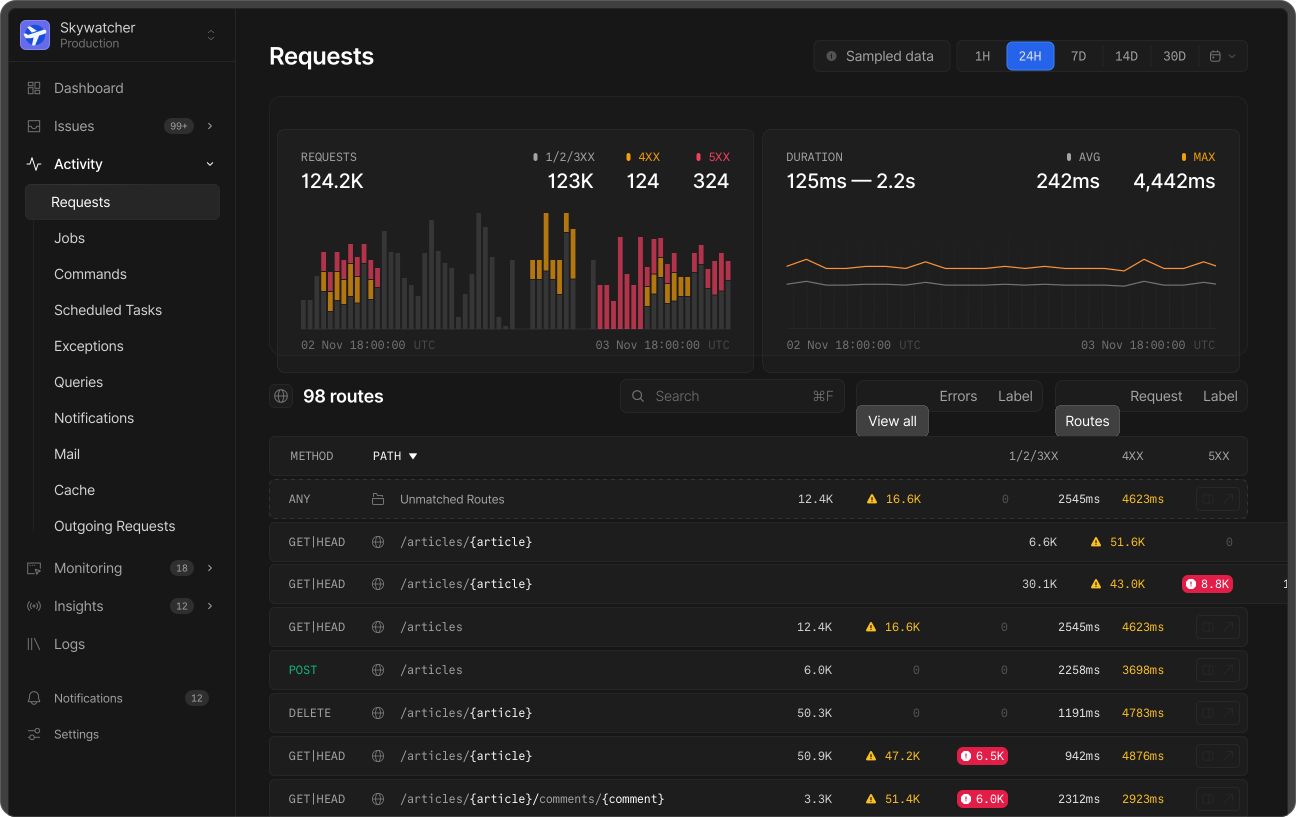
Requests
Trace requests with detailed interaction and performance metrics.
Outgoing Requests
Trace external requests, API calls, and third-party service integrations.
Notifications
Monitors all available channels to ensure proper notification delivery.
Jobs
Monitor queues, executions, and job performance across your app.
Queries
Measure query performance and identify problematic SQL.
Track email sending, recipients, sources, and rendering performance.
Commands
Record Artisan command executions and their impact on system resources.
Cache
Monitor cache key hit rates, storage patterns, and invalidation events.
Scheduled Tasks
Ensure your scheduler is running on time and tasks complete successfully.
Nightwatch has already caught a couple of things that we need to look further into. So already getting value out of it, within an hour of the first deployment!

Track exceptions and performance issues
Detect exceptions and performance issues automatically in realtime. With powerful collaboration tools and smart insights, your team can resolve problems quickly and confidently.
 Jackie Haley
 Mary Freund
 Laura Mennell
 Patrick Wilson
 Glenn Ennis
 Gerald Butler
 Jean Smart
Collaborate with yourself or your team
Bring your team together with intuitive collaboration tools. Easily assign tasks, comment, set priorities, and define responsibilities to ensure perfect alignment for yourself, or your team.
Configurable thresholds and rules
Define custom performance thresholds to automatically monitor and detect when your application's metrics exceed acceptable limits.
Can you bring a big salad? I'm on dessert duty.
New issue found. POST /payments exceeded 5,000ms threshold
Instant alerts
Receive alerts as soon as problems occur, enabling quick responses to maintain peak performance.
We installed it on our production system and instantly loved using it. We were troubleshooting some database query latency issues and were able to make improvements to troublesome queries right away!

Built to scale for trillions of events
Engineered with an astonishingly powerful column-oriented architecture, Nightwatch processes data with remarkable efficiency. Analyze billions of events in near real-time, while maintaining peak Laravel performance.
The Nightwatch Agent
Our agent efficiently buffers and batches data, working invisibly in your application.
Hosted Data Pipelines
Nightwatch processes, validates, and stores billions of events in near real-time.
Light speed performance
Our column-oriented architecture effortlessly queries billions of your events in less than 1s.
FAQs
Nightwatch is purpose-built for Laravel and deeply integrates with the framework's internals — from queues and events to the request lifecycle. This tight integration is what allows us to offer zero-config setup, rich telemetry, and smart insights. Supporting generic PHP would mean compromising on that experience, so we've chosen to go deep rather than broad.
An event in Nightwatch covers anything you'd need to monitor your application: requests, outgoing requests, notifications, jobs, queries, mail, commands, cache, and scheduled tasks. Our pricing treats each of these as an individual event. Read more about events in our docs.
Yes, Nightwatch supports the majority of hosting providers and setups. We've published guides for Laravel Cloud and Forge, as well as for running on a regular server. If you have a serverless setup, like Laravel Vapor, you'll need to create a virtual machine on another server to run Nightwatch. If you're using something else, let us know — we're happy to help.
Yes, read more on how to set this up in our docs.
Our data centers are located in the US and EU. We will be adding support for additional regions in the coming months, including Australia, UK and Singapore.
Yes. If the database driver fires Laravel's QueryExecuted event, Nightwatch supports it.
Nightwatch is a fully-managed product.
You can configure the Nightwatch agent to redact sensitive information before it's transmitted. This happens in the open source package installed in your application, so you have complete control over what data is sent. Read more in our docs.
By default, we store data for 90 days, but longer retention windows are available on our enterprise plans. Get in touch if you need a custom retention window.
Nightwatch is actively pursuing SOC 2 Type 1 and Type 2 certifications.
Yes, you can use Nightwatch alongside other APM (Application Performance Monitoring) tools simultaneously. There are no technical limitations preventing you from running multiple monitoring solutions in parallel. That said, running multiple monitoring tools will have some cumulative performance impact that will need to be mitigated.
Yes, you can set a spending cap on your account. Once that limit is hit Nightwatch will stop ingesting new events.
Can't find your answer? Read our docs →
After we first installed Nightwatch we found an issue in our application we've likely had for years.