

Introduction
A Laravel Cloud application can have many environments, such as “production”, “staging”, or even short-lived environments for trying out new features you’re developing. Each environment has its own compute infrastructure, resources, and deployment settings, so you can tune each environment for its purpose. For example, you might give your staging environment small Flex compute instances that scale to zero, and give your production environment larger, always-on compute instances.Build and deploy commands
You may define how your application is built during deployment from the Deployments section of your environment settings.Build commands
Build commands let you customize how Laravel Cloud builds your application during deployment.- Laravel
- Symfony
- Next.js
- Nuxt
- JavaScript
- Go
- Python
- Ruby and Rails
- Rust
Typically, your Laravel build command will install your Composer and npm dependencies and compile your application’s assets:
Private Composer packages
To install private Composer packages, configure your application’s Composer HTTP authentication credentials for each package using thecomposer config command. Add this command to your build commands before composer install:Dynamic environment variables
For Laravel and Symfony applications, Laravel Cloud writes your environment’s variables to a.env file in the build context. You may append a derived value for your application to read:
JavaScript, Go, Python, Ruby, and Rust applications receive variables through the process environment during builds and at runtime. Appending to a
.env file does not configure their runtime variables. Add persistent values under your environment’s environment variables instead.Exposing variables to scripts
For Laravel and Symfony applications, your build and deploy commands can read your environment’s variables directly, but the scripts and tools those commands run cannot. To pass a variable to a script,export it first:
Deploy commands
Laravel Cloud runs your environment’s “Deploy Commands” on your infrastructure just before a new deployment goes “live”. Typically, you use these commands to migrate your environment’s database. Unlike build commands, deploy commands do not persist their filesystem changes to your application. As with build commands, you must export variables before scripts your deploy commands run can read them.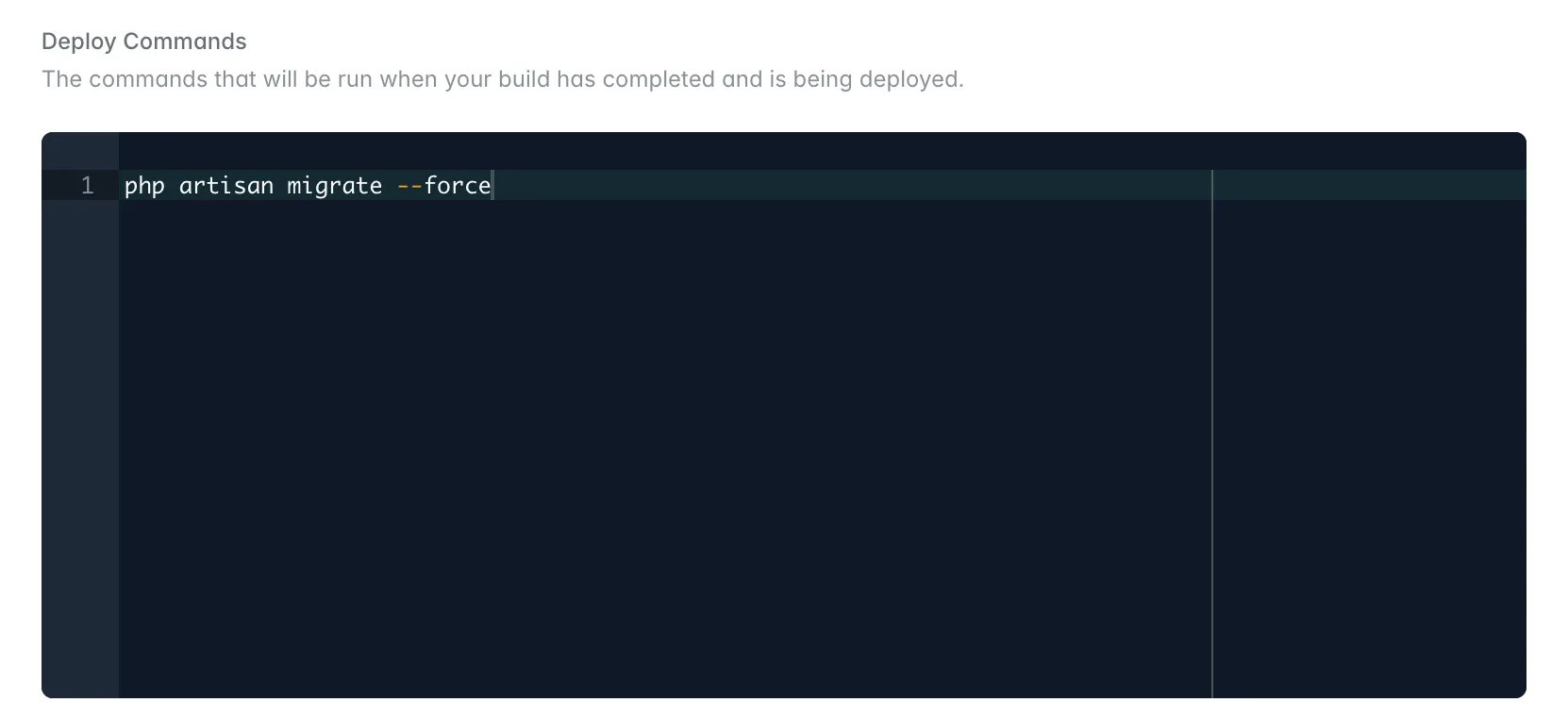
bin/rails db:prepare as a deploy command. If you have kept the default deploy command, attaching a database uncomments it. See Rails database preparation.
Unnecessary build and deploy commands
This section applies to Laravel applications.
php artisan queue:restart: Laravel Cloud restarts queue workers automatically after each deployment.php artisan horizon:terminate: Laravel Cloud manages Horizon processes automatically during deployments.php artisan optimize:clear: This command clears the cache and can cause unexpected behavior, especially with the queue.php artisan storage:link: The symbolic link won’t persist, because Laravel Cloud does not save changes that deploy commands make. Use Laravel Object Storage for persistent file storage instead.
Environment settings
Environment variables
The environment variables section of your environment’s settings lets you customize the variables available to your environment.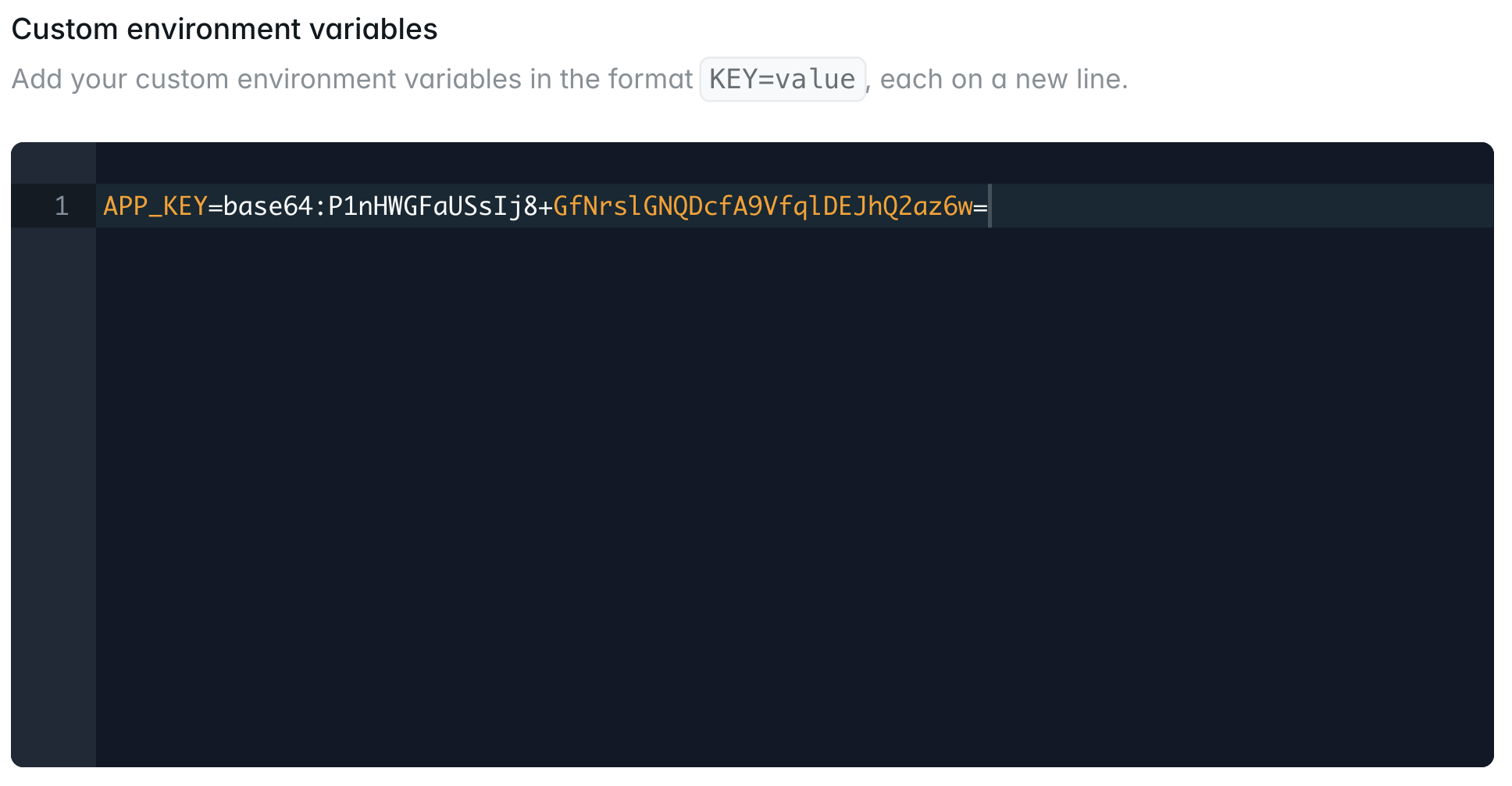
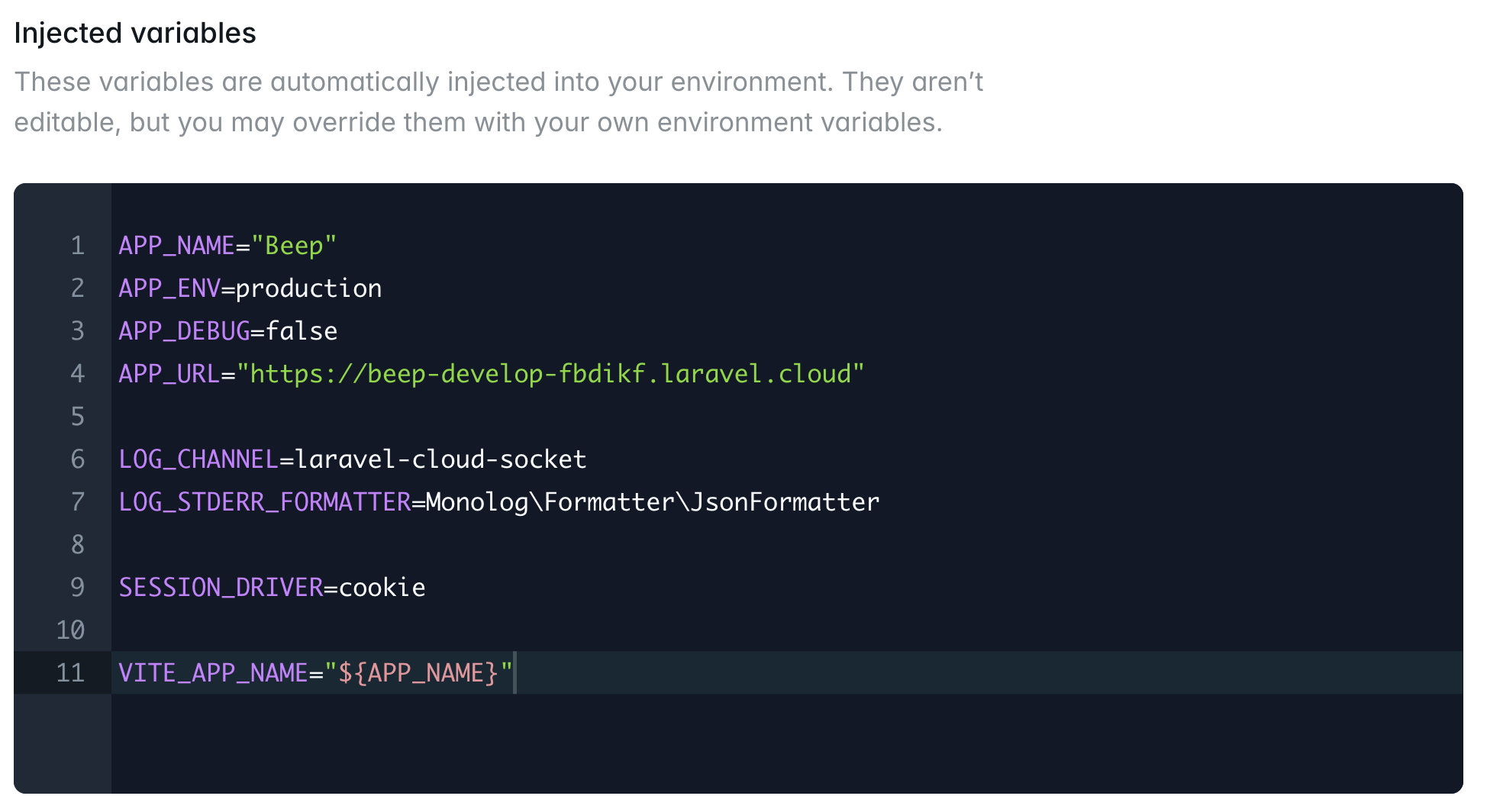
Custom environment variables take priority and override any automatically injected environment variables.
How variables reach your application
Laravel Cloud delivers your environment’s variables differently depending on the runtime:- Laravel, Symfony
- JavaScript
- Go
- Python
- Ruby and Rails
- Rust
Laravel Cloud writes your variables to a
.env file in your application’s root directory before your application starts, so the framework reads them the same way it does locally..env file for the framework to read. JavaScript, Go, Python, Ruby, and Rust build commands receive exported process variables.
HTTP basic authentication
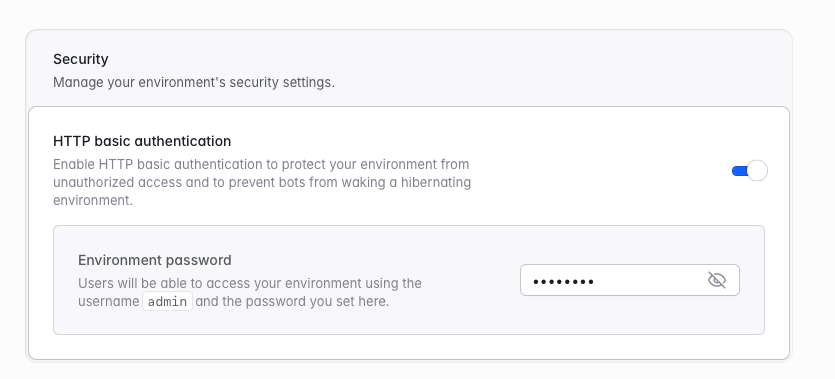
HTTP basic authentication lets you protect an environment with a username and password before traffic reaches your application. Basic authentication is useful for staging environments, private demos, preview environments, or sleeping environments that should not wake up because of unauthorized requests or automated bot traffic. You may enable HTTP basic authentication in the Security section of your environment’s General Settings page. Once you enable it, users can access the environment with the usernameadmin and the password you set. Passwords must be between 5 and 32 characters and cannot contain the : character.
Runtime
PHP runtime
You may select an environment’s PHP version on the environment’s General Settings page. After you change the PHP version, redeploy the environment for the change to take effect. See Runtimes for the supported PHP versions.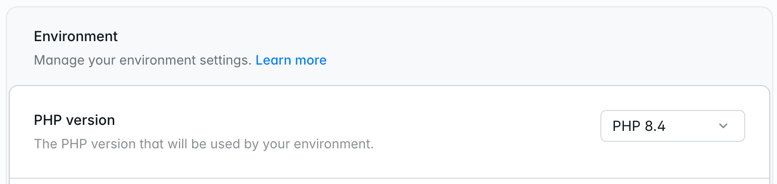
Node.js, Bun, and Deno runtimes
Next.js, Nuxt, TanStack Start, Express, and Hono applications run on the Node.js, Bun, or Deno runtime. Laravel Cloud detects the runtime automatically from the configuration files in your repository. See Runtimes for detection rules and supported versions. You may select the Node.js, Bun, or Deno version on the environment’s General Settings page. After you change it, redeploy the environment for the change to take effect.
Go and Python runtimes
Laravel Cloud detects Go and Python applications automatically from your repository: ago.mod file for Go, or a pyproject.toml, requirements.txt, Pipfile, or setup.py file for Python. Rather than using a dashboard setting, Laravel Cloud reads the language version straight from your repository. For Go, it reads the go directive in go.mod. For Python, it reads a .python-version file or the requires-python constraint in pyproject.toml. See Runtimes for supported versions and what happens when a detected version isn’t one Laravel Cloud publishes.
Ruby runtime
Laravel Cloud reads Ruby version declarations from your deployment’s commit. When the repository does not declare a version, you may select one in General Settings. See Ruby versions for the supported release lines and declaration order.Rust runtime
Laravel Cloud detects Rust applications automatically from aCargo.toml file at the root of your repository. Rather than using a dashboard setting, Laravel Cloud builds with a recent stable Rust release, or with the toolchain pinned by your rust-toolchain.toml file. See Rust versions for details.
PHP extensions
PHP extensions are only available for PHP runtime environments (Laravel and Symfony).
php -m with Laravel Cloud’s “Command” feature in your environment dashboard.
PHP memory limit
This section applies to PHP runtime environments (Laravel and Symfony).
memory_limit.
You can override the default memory limit by adding configuration directly in your application code. The most common method is to update your public/index.php and your artisan file:
Cloud domains
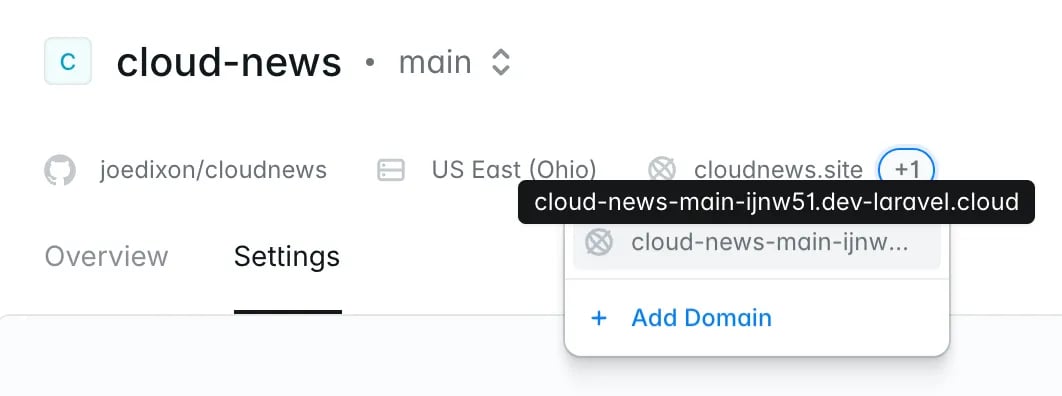
Laravel Cloud assigns each environment a freelaravel.cloud domain the first time it deploys successfully. You can use this domain to test and build your application before attaching a custom domain.
Laravel Cloud builds these domains from your application and environment names. If you change either name, Laravel Cloud updates the domain to match. Redeploy the environment for the new domain to take effect.
Custom domains
Of course, before shipping your application to the world, you will likely want to assign your own custom domain name to your production environment. Laravel Cloud guides you through DNS configuration, verifies domain ownership, and issues an SSL certificate automatically. For DNS records, verification paths, wildcards, provider-specific guides, and plan limits, see Domains.Stop and restart
To stop an environment, click the ”…” button next to the environment’s “Deploy” button. Then, click “Stop”. When you stop an environment, Laravel Cloud shuts down all App and Worker clusters in the environment. All web traffic, background processes, and scheduled tasks stop. You are not charged for the environment’s compute, but you are still charged for any attached resources. You can restart the environment from the same dropdown menu. Restarting an environment runs a full deployment.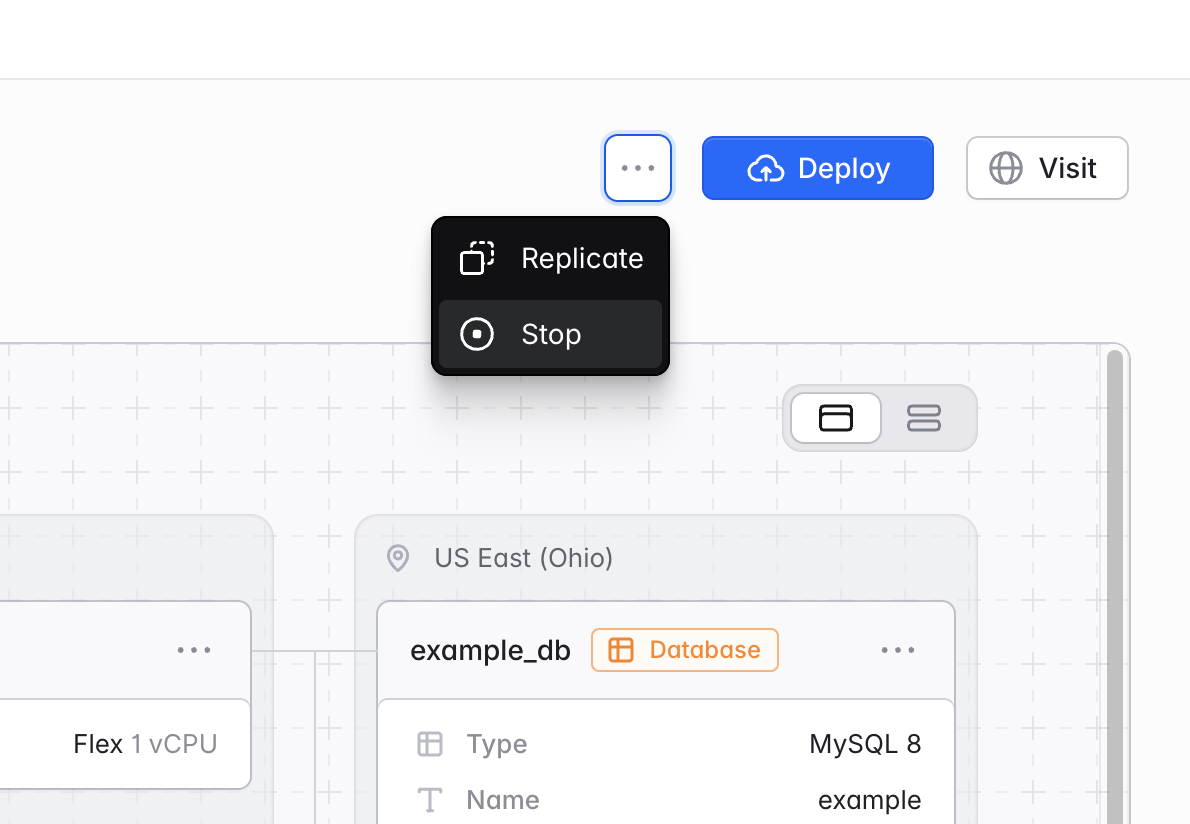
Replicate
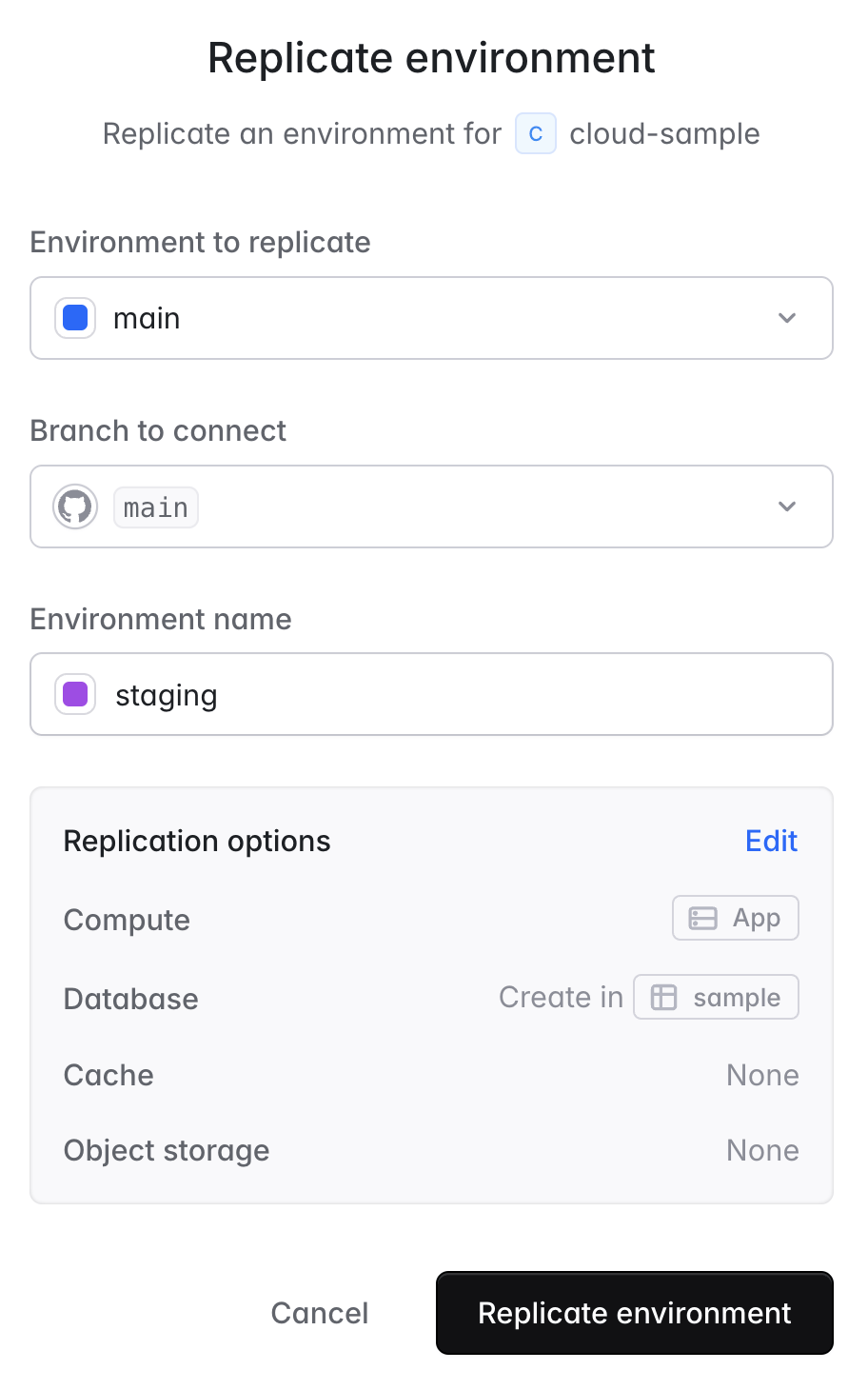
Environments in the same application often have similar or identical resources and settings. So when you create a new environment, it is often more convenient to clone an existing one and make changes than to start from scratch. To replicate an environment, click the ”…” button next to the environment’s “Deploy” button. Then, click “Replicate”. Confirm you are replicating the correct environment and Git branch, then enter a name for your new environment. By default, Laravel Cloud duplicates all General, Environment, and Deployment settings. You can optionally edit the default replication settings for compute and resources. The default replication behavior is:- Compute: duplicate all clusters at a smaller size, with Scale-to-Zero enabled
- Database: create a new database cluster that scales to zero, or a new database within the same cluster if your database does not support scale-to-zero replication
- Cache: create a new cache that scales to zero, or a new cache at the smallest available size if your cache does not support scale to zero
- Object storage: create a new bucket
- WebSockets: create a new WebSocket server
REDIS_PREFIX environment variable set to application:environment: so each environment’s keys stay separate. If the environment runs Laravel Horizon, Cloud also sets HORIZON_PREFIX.
Commands
Laravel Cloud lets you run arbitrary shell commands directly in your environment. Navigate to your environment’s Commands tab to run one-time commands for any supported framework or runtime. For example,php artisan cache:clear in a Laravel application, php bin/console cache:clear in a Symfony application, node script.js in a Node.js application, ./app migrate in a Go application, migrate in a Rust application, or python manage.py shell in a Django application.
Laravel Cloud runs commands on any available instance in your environment.
Filesystem
Environment filesystems are ephemeral, meaning files may not persist across requests or jobs. New deployments and redeployments reset the filesystem. In addition, each replica of your compute cluster has its own filesystem. Treat the filesystem as temporary, unshared disk space that stays consistent only during a single request or job. The total disk space available on each replica is proportional to the cluster’s RAM. Every 1GB of RAM gives 512MB of disk space. For example, a cluster with 2GB of RAM will have 1GB of ephemeral disk space available to it. If you exceed the available disk space, your application may crash and the deployment may need to restart. For persistent cache and session storage, PHP applications should use theredis or database drivers with a cache or database resource. JavaScript applications should use their framework’s equivalent persistent session and cache adapter backed by one of these resources. Go, Python, and Rust applications should connect directly to a cache or database resource using the injected REDIS_URL or DATABASE_URL connection string. For persistent file storage, use Laravel Cloud Object Storage.
Nightwatch integration
Nightwatch integration is currently available for Laravel applications only.
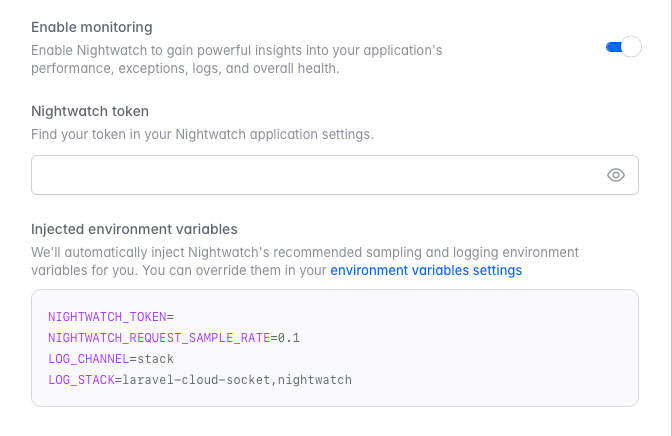
1
Install Nightwatch package
Install the Laravel Nightwatch package in your application locally using Composer:
Run
composer require laravel/nightwatch on your local machine to update your composer.json and composer.lock files before deploying.2
Connect Nightwatch
Click the Connect Nightwatch button in your environment dashboard.
3
Enable monitoring
Toggle Enable monitoring to activate Nightwatch for your environment.
4
Enter your Nightwatch token
Enter your Nightwatch token, which you can find in your Nightwatch application settings.
When you enable Nightwatch, Laravel Cloud runs the agent on all App and Worker clusters in the environment. You can set up Nightwatch manually if you want the agent to run on specific instances.