We just shipped Moat, a package that reviews the security posture of a GitHub user, organization, or repository. Moat surfaces the settings that are not enabled, or not configured in line with common recommendations. With a single command, you get a report and a list of suggestions to improve your GitHub security.
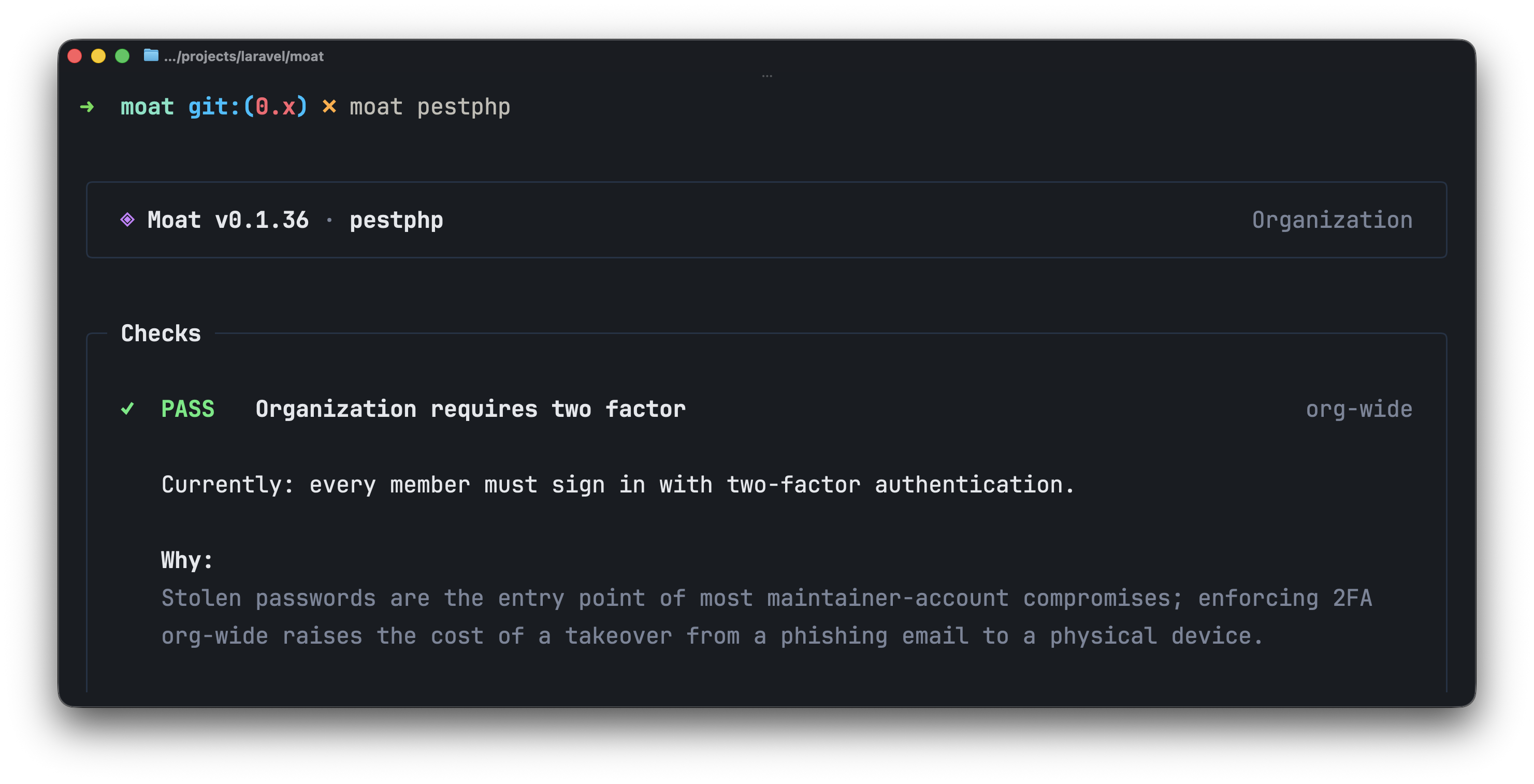 PHP and Laravel developers ship most of their work through GitHub. Everything lives behind the same login: source code, releases, deploy keys, webhooks, secrets, and CI pipelines. For package developers, the stakes are higher because every tagged release flows from a GitHub repository into Composer, and from Composer into thousands of applications that trust whatever bytes come down the wire.
GitHub already offers a long list of controls to protect that surface, like 2FA enforcement, branch protection, signed commits, secret scanning, Dependabot alerts, workflow permissions, pinned actions, and many more.
The problem is not that those controls do not exist. The problem is that they are spread across dozens of settings pages, scoped at the user, organization, repository, branch, and workflow level. Most maintainers never see them all in one place, and the ones that matter the most are usually the ones that are hardest to find. But not anymore.
What Moat Verifies
Moat inspects the controls GitHub already provides. Among many others, it covers:
- Two-factor authentication
- Branch protection
- Signed commits
- Secret scanning
- Secret push protection
- Dependabot alerts and security updates
- Immutable releases
- Fork pull request approval
- Workflow permissions
- Pinned actions
pull_request_targetmisuse- Repository webhooks
- Direct collaborators
- Private vulnerability reporting
- The presence of a
SECURITY.md
Each check is tied to a concrete risk. The goal is to make the model GitHub already offers easier to verify at a glance.
Moat Is Not a Security Certificate
Moat is a read-only review tool. It does not modify any settings, harden your repositories, prevent intrusions, or remediate compromises. It surfaces suggestions based on GitHub's own security settings; it is your responsibility to evaluate each one in the context of your project and decide whether to apply it.
A clean Moat report does not certify that an account is secure, nor does a failing report mean it has been compromised. Moat is a checklist, run on demand, against the settings GitHub exposes.
Moat is also not a supply chain security product. It does not scan your dependencies, audit your composer.lock, or follow packages out to their upstreams.
That said, many of the controls Moat checks are exactly the controls that make supply chain attacks harder to land on the maintainer side: pinned actions cut off the class of compromise that hit tj-actions/changed-files in 2025, immutable releases keep a tagged version from being silently rewritten after publication, signed commits make a stolen developer token noisier, and restricted workflow permissions limit what a hijacked third-party action can do once it runs.
For package developers, that is the difference between an incident contained to a single repository and one that flows downstream into every application that depends on it.
Usage
Moat is a single binary. You can install it with Homebrew, or grab a prebuilt archive from the releases page.
Then, point it at an account, an organization, or a repository:
Moat resolves a GitHub token from GITHUB_TOKEN, GH_TOKEN, or gh auth token (in that order). If you already use the GitHub CLI, there is nothing else to configure.
If you create a personal access token to run Moat, revoke it as soon as you are done. Tokens that linger on disk or in shell history are themselves a security risk, and Moat only needs access for the duration of the run.
Some checks do not apply to every project, and Moat reads a moat.toml at the root of each repository to let you turn individual checks off or declare additional release branches. The full list of options is documented on GitHub.
A Report, Not a Verdict
Moat's output is meant to be read. Each check explains the risk it is tied to in one or two sentences, highlighting the specific failure mode the setting is designed to prevent. The reasoning is part of the report, so you can decide whether the suggestion is worth applying to your project without leaving the terminal.
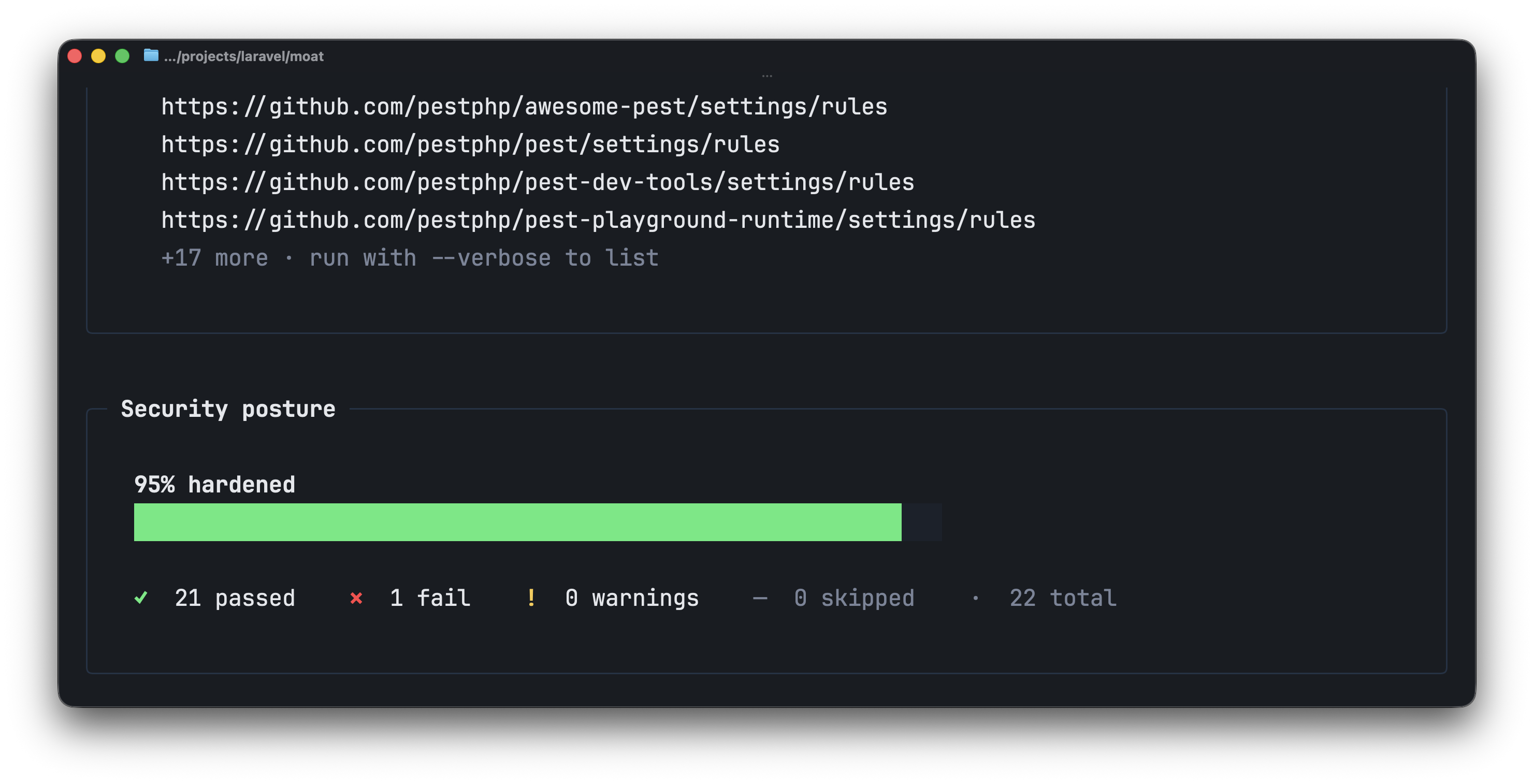
At the end of the report, Moat prints a single hardening score alongside the PASS / FAIL totals. This is a quick read on how close the account, organization, or repository sits to a fully hardened posture.
Built for the Workflow You Already Have
Laravel has always cared about the details that make development feel smooth: clear error pages, expressive console output, thoughtful defaults, and tools that help you stay in flow.
Security tooling deserves the same kind of care. Moat keeps the surface small, the output readable, and the suggestions specific, so that reviewing your GitHub posture takes a single command instead of an afternoon.
You can learn more about Moat on GitHub.