In Part I of this tutorial, we learned how to install and deploy Soketi to Laravel Forge servers.
By following that tutorial, Soketi is accessible over our server's public IP address on port 6001. In this post we're going to modify our Soketi installation so that we can access our socket server via socket.my-domain.com. We'll do this by using an Nginx reverse proxy.
Creating The Nginx Template
First, we'll create an Nginx Template on the server running Soketi. Nginx templates are used to customize the Nginx configuration file that Forge creates for new sites.
Give the template a name such as "Soketi Reverse Proxy" and define its contents like so:
Based on this configuration, Nginx will proxy any requests to our subdomain to 127.0.0.1:6001 - where Soketi is running.
Creating The Site
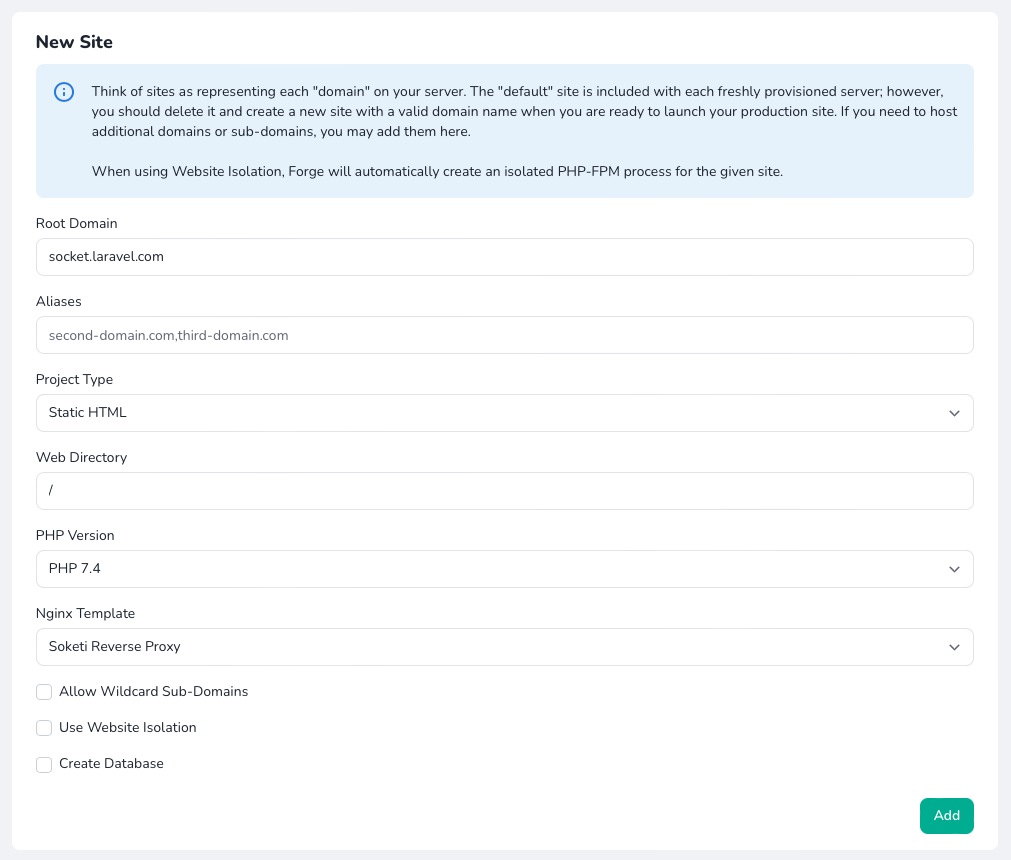
With our Nginx template now created, we can head over to Forge's Sites panel and create a new site. When creating the site, be sure to change the Nginx Template to the newly created template. Of course, you should supply your own domain name when creating the site:
As an added benefit, because we're now using Nginx to serve Soketi, we can easily install an SSL certificate using the site's SSL panel.
Updating Our Configuration
The final step is to update our site's .env file with the new configuration values: