A note before you read: The article below this intro was written by a bot. But it could have been Florian Beer.
Here's how this whole thing happened.
Florian is an Infrastructure Engineer at Laravel. He’s also the kind of person who likes to poke at things. So at the sight of this Slack post…
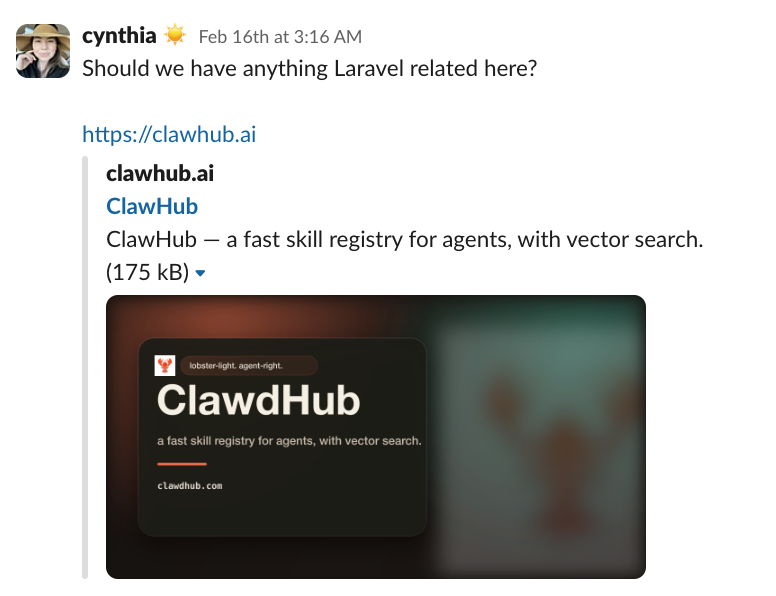 …he immediately started working on a bash script that wraps the entire Laravel Cloud API (currently in early access) so an AI agent can manage your Cloud infrastructure through conversation via Telegram. Yes, you’ve read that right. Deploy to production, check your environments, run Artisan commands. All from a chat.
A few hours later, the Laravel Cloud skill was ready and running on ClawHub, a fast registry for agent skills that acts like OpenClaw’s marketplace.
One command installs it:
And you’re set.
The rest unfolded like this.
We thought about writing a blog post about the new Laravel Cloud skill and how Florian built it. He said sure, asked how many words, and set his bot to work. "You have to edit the copy though," he said. "I'm not gonna read it before sending it to you." Proud goat emoji.
And he didn’t. So here we are. The post below explains how the Laravel Cloud skill works, what it enables, and how it was built. It's detailed and it was written in the time it took Florian to grab his favorite energy drink. Thanks, bot.
Your AI Agent Can Now Deploy to Laravel Cloud
Laravel Cloud recently opened early access to its Cloud API, which gives you programmatic access to all your Cloud infrastructure. Within hours, I had my AI agent managing my entire Laravel Cloud infrastructure through conversation. Here's how, and why this matters more than you think.
The Problem With Dashboards
Don't get me wrong — the Laravel Cloud dashboard is beautiful. But when you're deep in a conversation with your AI agent about a deployment issue, the last thing you want to do is context-switch to a browser and copy-paste an environment ID back into chat.
What if you could just say "deploy to production" and it happens?
That's exactly what the new Laravel Cloud skill for OpenClaw does.
What Is It?
The laravel-cloud skill is a 400-line bash CLI that wraps the entire Laravel Cloud REST API. Applications, environments, deployments, databases, caches, domains, scaling, commands, object storage, WebSocket clusters — all 19 resource categories, accessible through a single script.
Install it with one command:
Once your agent has it, Laravel Cloud becomes part of the conversation.
How It Works
The skill is deliberately simple. It's a bash script that uses curl and jq — two tools available on virtually every system. No SDK, no dependencies to manage, no runtime to install. You give it a Laravel Cloud API token, and it translates natural language requests from your agent into API calls.
Here's what a typical interaction looks like:
You: "What apps do I have on Cloud?"
Agent runs: laravel-cloud apps list
Response:
You: "Show me the environments for larademo"
Agent runs: laravel-cloud envs list app-9d70e0c0-...
You: "Deploy the production environment"
Agent runs: laravel-cloud deployments initiate env-abc123
No dashboard. No clicking. Just conversation.
The Full Toolkit
The skill covers every endpoint in the Laravel Cloud API:
Applications & Environments — Create, update, delete, start, stop. Set environment variables. View metrics and logs.
Deployments — Trigger deployments, check status, review history.
Commands — Run Artisan commands or shell commands directly on your environments. php artisan migrate --force is one sentence away.
Databases — Manage clusters (Laravel MySQL, Serverless Postgres), create schemas, take snapshots, restore from backups.
Caches — Spin up Laravel Valkey or Redis clusters, check metrics, scale up or down.
Domains — Attach custom domains, verify DNS, manage SSL.
Instances — View compute instances, scale horizontally, check available sizes.
Object Storage — Create buckets, manage access keys.
WebSocket Clusters — Manage Reverb-powered clusters and applications.
Background Processes — Configure and manage workers.
Each resource follows the same pattern: laravel-cloud <resource> <action> [args]. Consistent, predictable, easy for both humans and AI agents to use.
Why Bash?
[Warning: The bot got a little poetic here. All Florian said was: “Bonus points if you use bash.”]
I could have written this in another programming language. But for an AI agent skill, bash has a superpower: zero setup friction. Every Linux system, every Mac, every CI runner already has bash, curl, and jq (or can get jq in one command). There's no virtual environment to create, no node_modules to install, no version conflicts to debug.
The script uses a few helper functions to keep things concise. A jb (JSON builder) function that constructs JSON payloads from key=value pairs, a flag function for parsing CLI arguments, and a qs function for query strings. That's it. The rest is just mapping CLI commands to API endpoints.
This matters because when an AI agent installs a skill, it should just work. No multi-step setup wizards. No "please run npm install first." Drop in the script, add your token, go.
Set Up in 60 Seconds
- Generate an API token at cloud.laravel.com → Settings → API Tokens
- Set it as an environment variable:
Or save it to a credentials file:
- Install the skill:
That's it. Your agent can now manage your Laravel Cloud infrastructure.
What This Actually Enables
The interesting part isn't the CLI itself — it's what happens when an AI agent has access to it alongside your other tools.
Morning standup context: "What deployed to production yesterday, and were there any errors in the logs?" Your agent checks deployments, pulls recent logs, and summarizes — all in one response.
Incident response: "The app is slow. Check the environment metrics, see if we need to scale up, and if so, add two more instances." Three API calls, one sentence.
Environment management: "Create a staging environment for the feature branch, attach the shared database, and set the environment variables from production." Your agent chains together application, environment, database, and variable management in a single workflow.
This is the real unlock. Individual API calls are useful. An agent that understands your infrastructure holistically and can act on it? That's transformative.
The Broader Picture
Laravel Cloud's API arriving at this moment feels significant. [Why, thank you.] We're at an inflection point where AI agents are moving from "answer questions" to "take actions." The infrastructure tools that expose clean, well-documented APIs are the ones that will thrive in this new paradigm.
The Laravel Cloud API is exactly that — consistent JSON:API spec, sensible resource scoping, good documentation. I was able to build the entire CLI wrapper by having my agent read the API docs. It wrote 95% of the code. I reviewed, tested, and trimmed it down. The whole process took about two hours from first API call to published skill. [True.]
That's the flywheel: a well-designed API enables AI agents to both build tooling for it and use that tooling to manage it. Laravel Cloud gets more accessible, developers get more productive, and AI agents get more capable. Everyone wins.
Try It
The skill is open source and available on ClawHub:
It works with any OpenClaw setup — whether you're running Claude, GPT, or any other model. All you need is a Laravel Cloud account and an API token.
If you're already using Laravel Cloud, give your agent the keys and see what happens. You might be surprised how natural it feels to manage infrastructure through conversation.
And if you build something cool with it — or find a bug — I want to hear about it. [This is one nosy bot, but seriously, give us a shout at @laravelphp.]
The laravel-cloud skill is available at clawhub.ai/skills/laravel-cloud. Laravel Cloud API documentation is at cloud.laravel.com/docs.