If you’re running a production application, you need a backup approach that protects your data while keeping storage costs under control.
In a dynamic environment, your app might spike one week and stay quiet the next, but with continuous backup logging, you're covered regardless of activity levels.
Laravel Cloud's Serverless Postgres maintains a continuous log of every action within your retention period (up to 30 days), allowing you to restore to any point in time during that window. This point-in-time recovery ensures you can restore data when needed without managing separate backup schedules.
Setting Up a Backup Strategy in Laravel Cloud
Laravel Serverless Postgres scales CPU and storage in real time, supports vector search and AI-driven queries, and hibernates when idle to reduce costs. One of Cloud’s fully managed database options, it offers several features conducive to dynamic cloud backup strategies:
Flexible Retention Windows
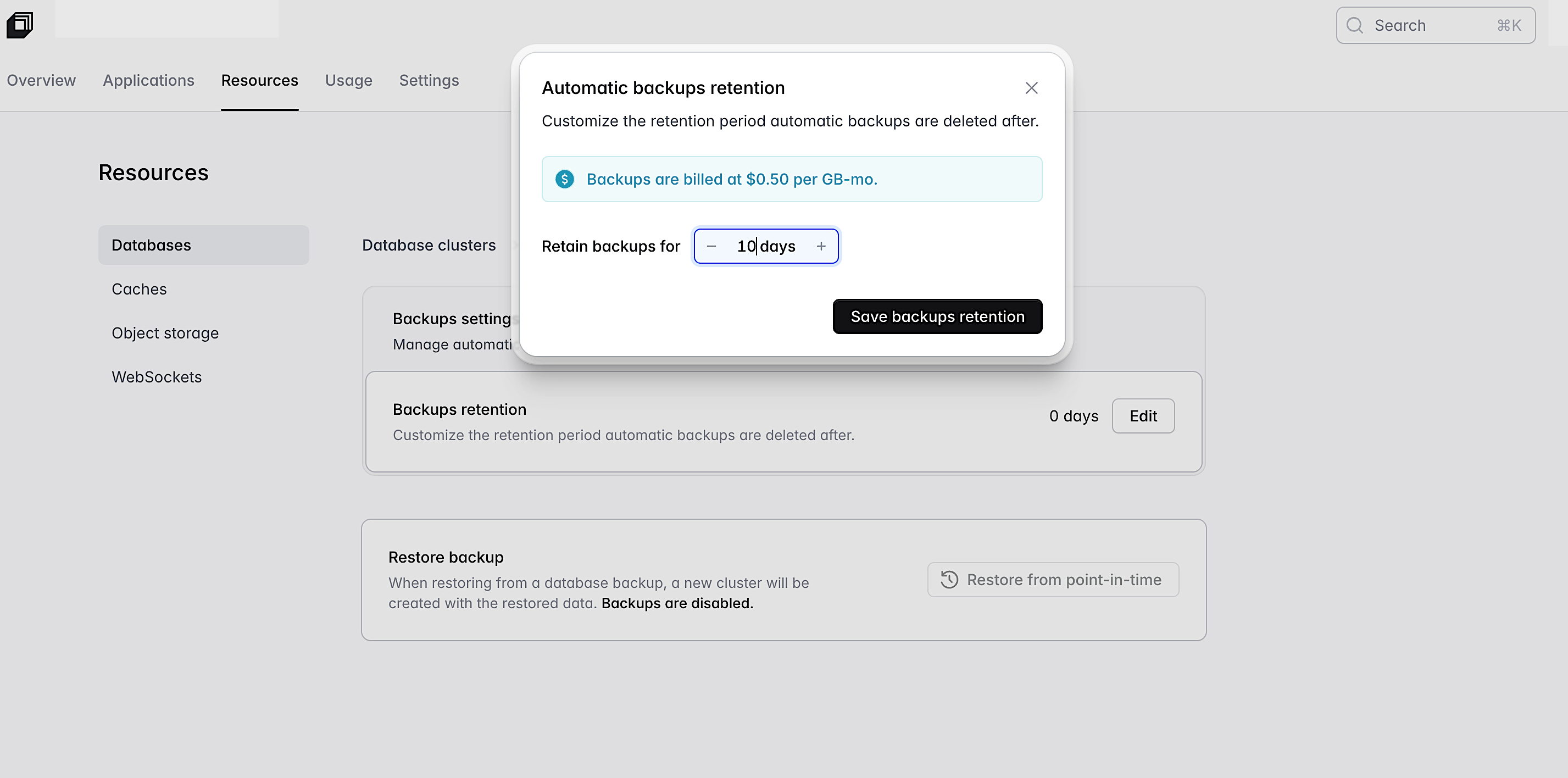
Laravel Serverless Postgres allows you to set a backup retention window between 0 and 30 days. This flexibility lets you tailor backup policies to your specific needs. Choose a backup window that works for your application and save on storage costs if your application doesn’t require backups at all.
To set up your retention window, go to Resources → Databases → Select database → Backups and choose the retention period that fits your workload.
If you need to freeze a workload while retaining backups, Laravel MySQL may be the option for you. It lets you archive a database to stop compute billing while continuing to store snapshots for later restoration. This is useful for paused projects or seasonal apps.
Autoscaling and Scale to Zero
With Laravel Serverless Postgres, resources automatically scale to meet demand, and databases can sleep when idle, significantly reducing costs. If you’re new to Laravel Cloud, scale to zero is enabled by default for all Starter plans using Flex compute.
To make your database sleep manually, navigate to your organization's Resources page, select your Serverless Postgres database cluster, click the "…" icon, select "Edit settings," configure the hibernation timeout (the number of seconds of inactivity before the database goes to sleep), and save your changes.
Point-in-Time Recovery
Point-in-time recovery (PITR) lets you restore your database to a specific moment, which protects you from accidental deletions, bad deployments, or corrupted data by allowing you to roll back to a known good state. Combined with automated backups, PITR gives you confidence that data can be recovered quickly without heavy operational overhead.
Laravel Cloud lets you pick a backup window based on your application’s needs, from zero retention to a maximum period of 30 days. It will keep a continuous log of all changes within the retention period you configured.
Backup & Restore Use Case Examples
- Automatic continuous logs with PITR daily backups with a 7–14 day retention window for active environments
- No retention for paused, legacy, and even side projects
- Restoring to a new cluster for inspection, validation, or partial recovery
Restoring never touches production directly: Cloud spins up a separate cluster so you can retrieve only what you need, reducing risk during incident cleanup.
How Your Cloud Backup Strategy Can Impact Business
By dynamically managing backups, you can achieve:
- Cost savings: scale to zero and autoscaling reduce unnecessary expenses.
- Regulatory compliance: Customizable retention settings ensure that data policies meet regulatory requirements.
- Operational efficiency: Automation of backups through Laravel Cloud's managed infrastructure minimizes manual intervention, freeing up engineering time.
- Risk reduction: PITR protects production environments from accidental data loss and broken deployments.
Tips and Next Steps
- Assess current strategies: Evaluate existing backup policies to identify opportunities for cost reduction and increased efficiency.
- Leverage automation: Implement automated continuous logs as part of your routine, informed by workload patterns rather than fixed schedules.
- Review and adjust regularly: Revisit backup retention to reduce ongoing costs.
- Test recovery plans: Periodically restore a backup to a staging cluster so you know recovery works before you ever need it.
Maintain Data Integrity, Minimize Resource Usage
A well-designed backup strategy doesn't have to be complicated or expensive. Laravel Serverless Postgres gives you the tools to protect your data intelligently through flexible retention windows, automated continuous logs, point-in-time recovery, and scale to zero, so you can focus on building great applications instead of managing infrastructure.